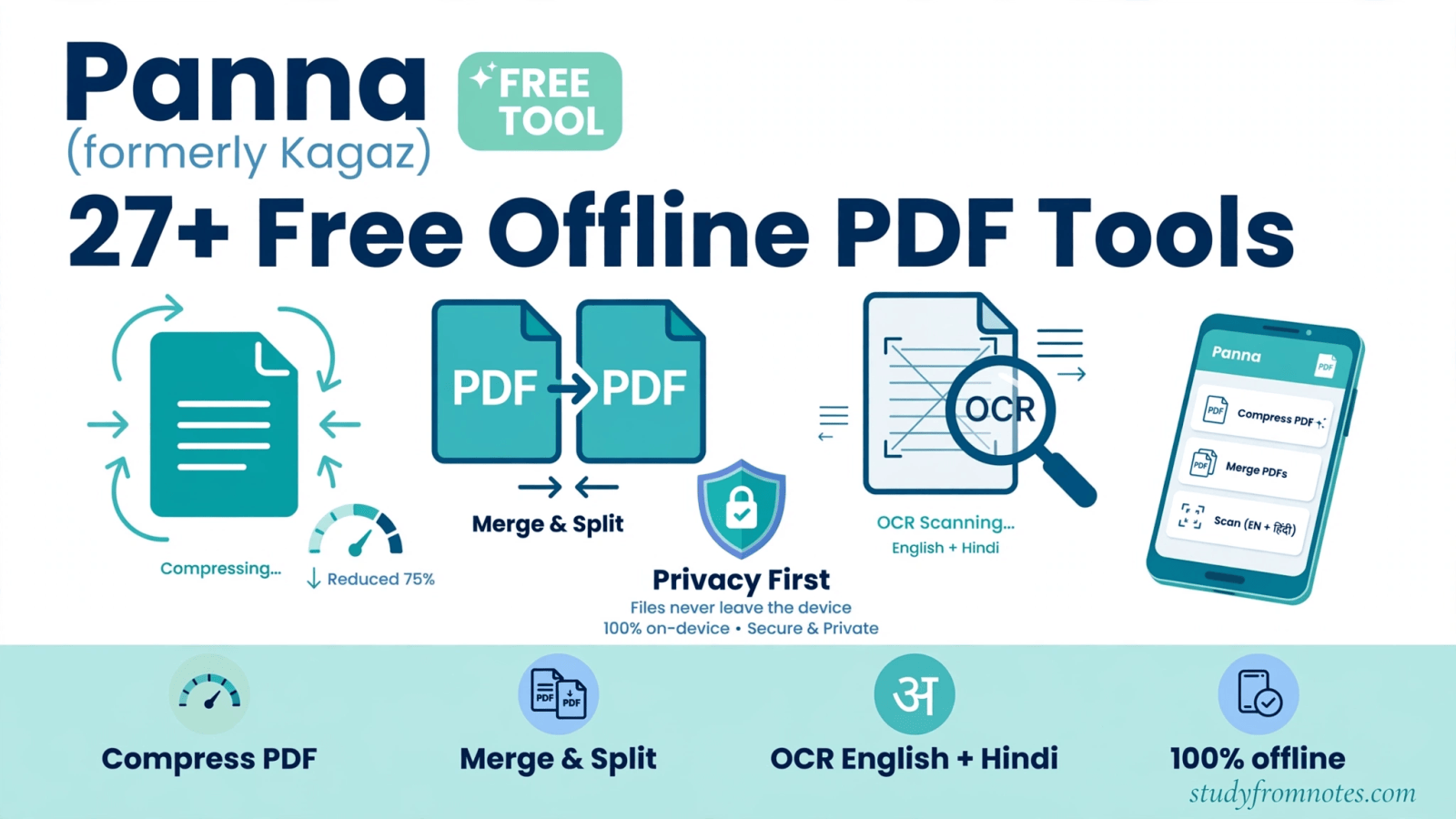
Kagaz has a new name, and it is Panna. Panna PDF tools are the same free offline PDF toolkit you already know, developed by CA Anshul Karwa, now running under a fresh new name. If you have Kagaz bookmarked, relax: nothing changes for you. The web app keeps working at the same address, every one of the 27+ tools stays completely free, and your files still never leave your device.
p>Open Panna free: 27+ offline PDF toolsIn other words, the rename changes the branding, not the toolkit. Everything you liked about Kagaz, the speed, the privacy, the fact that it asks for nothing in return, now lives on as Panna. This post walks you through what Panna does, how to use it, and why it deserves a permanent bookmark.
<What Are Panna PDF Tools and What Do They Do?
Panna PDF tools are a collection of 27+ free utilities that handle almost every PDF task you will face in daily work: compressing oversized files, merging pages, splitting documents, converting PDFs to Word, running OCR on scanned pages, redacting sensitive text, removing photo backgrounds, and building passport-size photos. The entire toolkit runs inside your web browser.
Here is what makes Panna different from the dozens of PDF websites out there. Most online PDF tools upload your file to a server, process it somewhere you cannot see, and hand you a download link, often with a watermark or a daily limit attached. In contrast, Panna does the opposite. Every tool runs locally on your own device using modern browser technology, so your documents are never uploaded anywhere. That also means the tools keep working offline once the page has loaded the first time.
In short, for existing Kagaz users, the important part is simple: same toolkit, same address, same promise of free forever. Only the name on the door has changed.
Key Features of Panna PDF Tools
Specifically, here is what you get, all free and without signing up:
- Compress PDF: shrink bloated PDFs by 40 to 70 percent with the balanced preset, while keeping text sharp. Need it even smaller for email or WhatsApp? Advanced Compress goes further, and the tool shows you the before-and-after size.
- Merge PDF: combine multiple PDFs into one file in any order you choose, with as many files as your device memory allows.
- Split and manage PDFs: break large documents into smaller ones and rearrange pages as needed.
- PDF to Word: convert any PDF into an editable .docx file with no account, no watermark, and no page limit.
- OCR text recognition: turn scanned PDFs into searchable documents. The OCR engine reads both English and Hindi, layers the recognized text behind the original scan, and can even export the result as a Word file. It handles large 50 to 70+ page documents too.
- Redact PDFs: permanently black out sensitive text before sharing a document.
- Background Remover: an on-device AI model cuts out photo backgrounds with clean edges, giving you white, blue, or transparent backdrops.
- Passport Photo tool: frames your photo to the official 35mm x 45mm or 2×2 inch size with a clean white background, ready for printing.
- Private by design: every tool runs locally in your browser using proven engines, so no file, document, or personal data ever reaches a cloud server.
- Works offline: after the first load, the tools keep working without an internet connection.
- Mobile friendly: the toolkit runs in any modern mobile browser on Android and iPhone with touch-friendly controls, and there is also a free Panna app on the Google Play Store.
How to Use Panna PDF Tools: Step by Step
In fact, there is no learning curve. Pick the tool you need and follow the on-screen prompts. Here is how the most popular tools work:

- Open the Panna web app and choose a tool from the homepage, for example Compress PDF.
- Drop your file into the tool. Nothing uploads; the file stays on your device.
- Choose your settings. In Compress PDF, the balanced preset suits most files, while Advanced Compress squeezes the maximum out of stubborn ones.
- Download the result. That is the whole process.
Similarly, merging works the same way: open Merge PDF, add your files in the order you want them, and download the combined document.
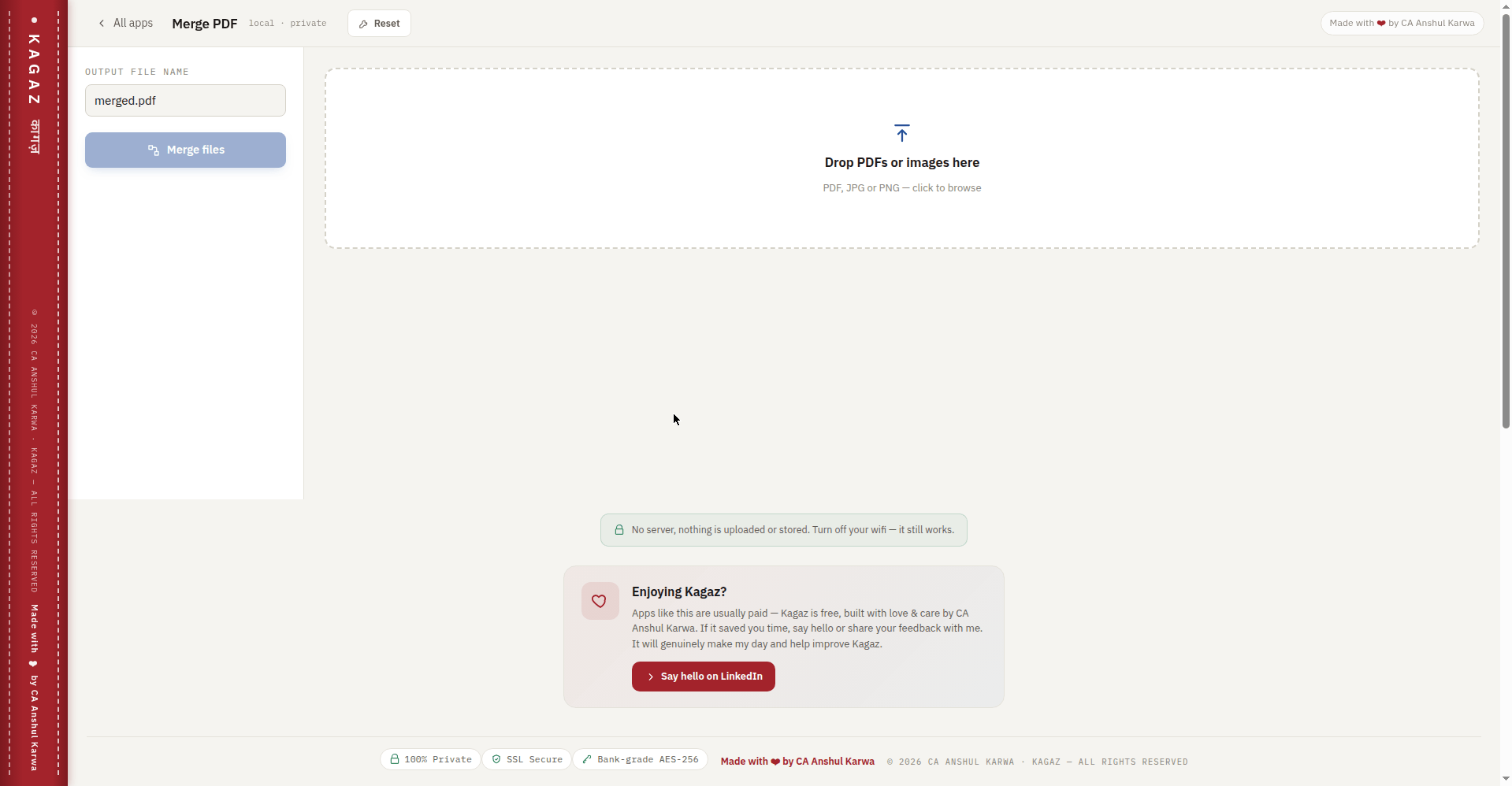
Next, for scanned paperwork, run the OCR tool on the file, pick English or Hindi, and download a searchable PDF or an editable Word file with the text layered in.
Finally, need a passport photo in a hurry? Open the Background Remover, upload your photo, download the cutout, then open the Passport Photo tool to frame it to 35mm x 45mm or 2×2 inch with a white background. Print and done.
Who Should Use Panna?
For example, CA students and Chartered Accountants deal with scanned certificates, bulky audit reports, and signed documents every week. Panna compresses a 25 MB report into an emailable file, merges annexures into one PDF, and OCRs old scanned books into searchable text, all without sending client data to a stranger’s server. That privacy point alone makes it the right choice for professional work.
Similarly, small business owners use it to tidy up invoices and contracts. Job seekers use the passport photo tool instead of paying a studio. Teachers and students convert scanned Hindi and English notes into searchable files. And anyone who has ever hit a daily limit or a watermark on a PDF website will appreciate that Panna simply has none of that.
Panna PDF Tools FAQs
Is Panna really free? Are there watermarks or limits?
Yes, completely free. There are no watermarks, no signups, and no daily limits. Moreover, CA Anshul Karwa builds and maintains Panna as a free public utility, and that is not changing with the new name.
I used Kagaz before. Do I need to change my bookmarks?
No. The rename from Kagaz to Panna changes the branding, not the address or the tools. Your existing bookmarks keep working, and everything you could do before works exactly the same way.
Are my files uploaded to a server?
No. Every Panna tool runs entirely in your browser using local processing. Files are never uploaded to any server, which is also why the tools keep working offline after the first load. Therefore, for sensitive documents like financial statements or ID proofs, this matters.
Does Panna work on my phone?
Yes. Panna runs in any modern mobile browser on Android and iPhone, with touch-friendly controls, and all processing still happens on the device itself. There is also a free Panna app, Panna – Offline PDF Tools by CA Anshul Karwa, on the Google Play Store.
Can Panna read Hindi documents?
Yes. The OCR tool recognizes both English and Hindi text, so scanned Hindi documents become searchable PDFs or Word files right in your browser. In fact, few free tools handle Hindi this well.
Why was Kagaz renamed to Panna?
The project is moving forward under the Panna name. What is not changing: the toolkit, the privacy-first design, and the price, which stays free exactly as Kagaz users remember it.
About the Developer
Panna is developed by CA Anshul Karwa, a Chartered Accountant who builds free tools for the CA community and beyond. In addition, his projects share one philosophy: genuinely useful utilities that respect your privacy and cost nothing to use. You can explore his full collection on the free tools page.
Get Panna free, built by CA Anshul Karwa:
- Web app: kagaz.studyfromnotes.com (same address as before, so your old Kagaz bookmarks keep working)
- Android app: Panna – Offline PDF Tools by CA Anshul Karwa on the Google Play Store (https://play.google.com/store/apps/details?id=com.karwa.kagaz)
Found this useful? Share it with your study group:

CA L Awrak is a Chartered Accountant writing on CA exams, tax and finance careers.

Leave a Reply