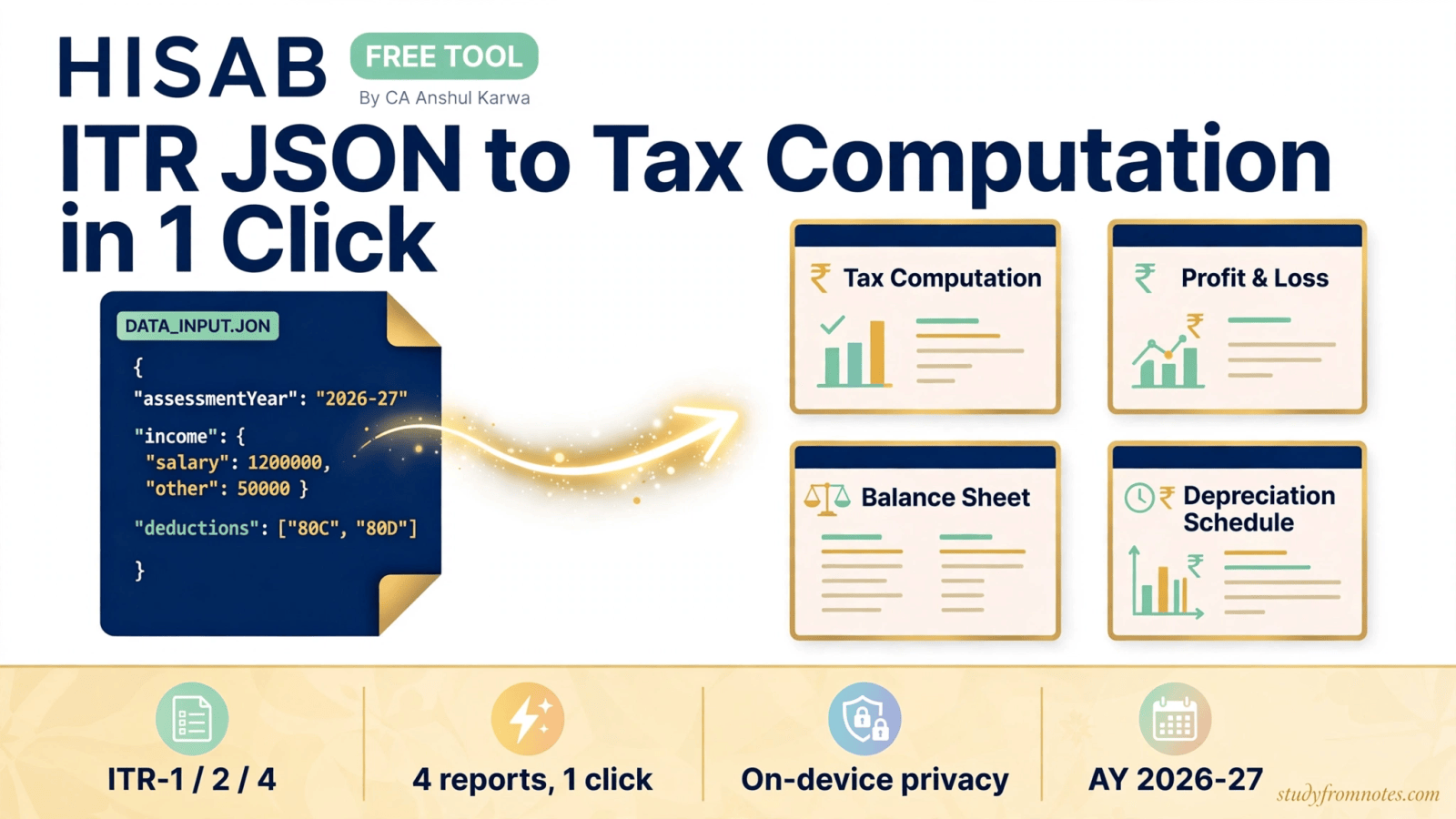
HISAB ITR computation is a free tool developed by CA Anshul Karwa that converts your ITR JSON file into a complete set of tax reports in one click. Instead of rebuilding your tax computation, profit and loss account, balance sheet and depreciation schedule in Excel every filing season, you upload the JSON downloaded from the e-filing portal and HISAB prepares all four for you. It automatically detects ITR-1, ITR-2 and ITR-4, supports AY 2026-27, and runs entirely on your own device, so your financial data never leaves your computer.
What Is HISAB ITR Computation and What Does It Do?
For example, every income tax return filed in India starts as structured data. When you download your return from the e-filing portal, you get a JSON file holding your income details, deductions, taxes paid and more. Useful, but not readable. Chartered accountants and taxpayers then spend hours converting that raw data into the documents people actually use: a tax computation that derives the final liability step by step, a profit and loss account, a balance sheet and a depreciation schedule.
In contrast, HISAB ITR computation automates that entire conversion. Feed it the JSON, and it parses the data and assembles the four reports in seconds, with a real-time preview so you can check the numbers as they build. A built-in reconciliation check confirms the balance sheet tallies before you rely on the output. The result is a clean, professional computation set you can download, print or share with a client, without touching a spreadsheet.
Each report serves a different reader. The tax computation shows, step by step, how HISAB computed total income and arrived at the final tax payable or refund, which is exactly what a client or an assessing officer wants to see. The profit and loss account and balance sheet present the business results in the standard format that banks ask for with loan applications. The depreciation schedule tracks block-wise written down values, the working every tax audit leans on. Because HISAB builds all four from the same data, the numbers always agree with each other.
Key Features of HISAB ITR Computation
In short, everything HISAB does comes from a single idea: the data is already in your JSON, so you should never have to type it again. The feature list is short on purpose. There are no upsells, no locked exports and no watermarks.
- Four reports in one click: tax computation with a full breakdown, profit and loss statement, balance sheet and depreciation schedule, all from a single JSON upload.
- Automatic form detection: the tool reads your file and detects whether it is ITR-1, ITR-2 or ITR-4, so there is nothing to configure.
- HISAB Check: an instant reconciliation that verifies your balance sheet balances before you finalise anything.
- Real-time preview: watch the reports build as the data loads, instead of waiting on a blank screen.
- 100% on-device processing: HISAB processes your JSON locally in your browser. No cloud uploads, no servers, nothing stored anywhere.
- Download and print ready: every report comes out in a clean format you can save or print for records, clients or loan files.
- AY 2026-27 ready: built for the current assessment year’s filing requirements.
- Completely free: the full tool costs nothing to try and use.

How to Use HISAB ITR Computation: Step by Step
In fact, the whole process takes less time than making tea. Here is exactly what to do:
- Get your ITR JSON. Log in to the income tax e-filing portal and download the JSON of the return you want to work with. HISAB reads the standard JSON the portal issues.
- Open HISAB. Go to hisab.studyfromnotes.com in your browser. There is nothing to install and no account to create.
- Upload the file. Drop your JSON into the uploader. The tool validates it immediately and confirms the file is good.
- Let it detect your form. HISAB identifies whether your data belongs to ITR-1, ITR-2 or ITR-4 on its own.
- Generate your reports. In one click, the tool builds your tax computation with a full breakdown, profit and loss account, balance sheet and depreciation schedule. This takes seconds.
- Review the preview. Check the real-time preview of each report. Run the HISAB Check to confirm the balance sheet reconciles.
- Download or print. Save the reports for your records, attach them to a client file, or print the computation for signing.

Because everything runs locally, you can safely use HISAB for client data without worrying about confidentiality. The file never leaves the machine it was opened on.
Finally, one habit worth building: always run the HISAB Check before you download. It takes a second and catches the classic problem of a balance sheet that does not tally because of a missed entry in the source data. If the check flags a difference, you know to look at the JSON, not at HISAB.
Who Should Use HISAB?
For example, practising chartered accountants get the most obvious win. Review season means dozens of computations, and HISAB turns the mechanical part, rebuilding standard reports from portal data, into a one-click job, leaving you the review and advisory work that actually needs your judgement.
Taxpayers who file their own returns finally get a computation they can read. Instead of staring at raw JSON or a bare acknowledgement, you see exactly how your total income, deductions and tax payable connect.
Similarly, article assistants and CA students can use it to check their manual computation practice against an instant correct answer, which is a fast way to learn where mistakes creep in.
In addition, anyone preparing documentation, for a home loan, a visa file or a client record, gets print-ready statements without rebuilding them in Excel.
HISAB ITR Computation FAQs
Is HISAB really free?
Yes. The tool is free to try and use, with no subscription and no locked features. It belongs to a growing set of free utilities built by CA Anshul Karwa for the tax and accounting community.
Which ITR forms does HISAB support?
HISAB supports ITR-1, ITR-2 and ITR-4, and it detects which one your JSON belongs to automatically. You never have to select the form yourself.
Is my financial data uploaded to a server?
No. Instead, HISAB processes your JSON entirely on your own device, inside your browser. There are no cloud uploads and nothing is stored anywhere, which makes it safe even for sensitive client data.
What exactly does HISAB generate?
Specifically, four reports: a tax computation with a full step-by-step breakdown, a profit and loss statement, a balance sheet and a depreciation schedule. Each one appears in a real-time preview, and you can download or print it.
Which assessment year does it cover?
HISAB covers AY 2026-27, the current assessment year, so the computation reflects this year’s filing requirements.
Where do I get the ITR JSON file?
First, download it from the income tax e-filing portal after logging in. It is the standard JSON format the portal issues for filed and draft returns, and HISAB reads it directly.
About the Developer
CA Anshul Karwa is a qualified Chartered Accountant with experience of the Big 4 and a listed company in India, who now builds free, practical tools for the CA community. Similarly, HISAB ITR computation follows the same philosophy as his other utilities: professional-grade output without the software bill. Your data stays yours, and the tool stays free.
Get HISAB free:
Found this useful? Share it with your study group:

CA Luhsna Awrak is a Chartered Accountant (DISA-qualified) writing on CA exams, tax and finance careers.

Leave a Reply