
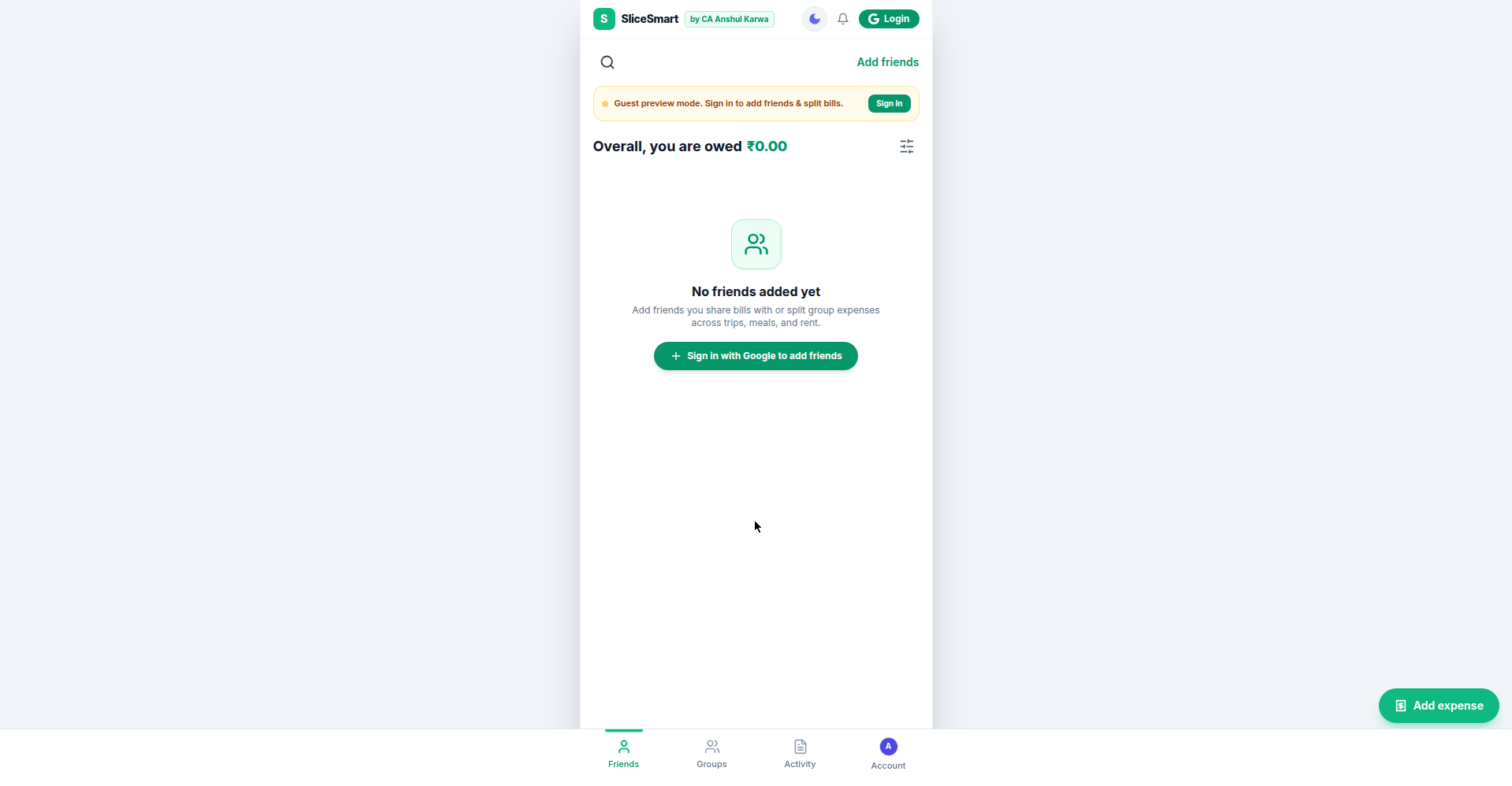
If you have ever been the person in the group who paid for dinner and then spent three days chasing five friends for their share, you know the exact problem SliceSmart solves.
SliceSmart is a free expense-splitting web app developed by CA Anshul Karwa. In short, it does what Splitwise does, hands you the Pro features Splitwise charges a subscription for, and adds something Splitwise never had: built-in UPI settlement. It runs entirely in your browser at split.studyfromnotes.com, and it costs nothing.
Splitwise Pro features, free forever
First, open the Account tab and tap “SliceSmart Pro”. The panel reads “Lifetime Access, 100% Free” with an Unlocked badge. These are the perks, and every one of them is a paid feature on Splitwise:
- Unlimited expense entries per day. No caps, no counters.
- Plus, camera receipt scanning and attachment. Snap the bill, attach it to the expense, done.
- Debt simplification algorithm. But this is the clever one. Instead of a tangled web of who owes whom, SliceSmart computes the minimum-cash-flow settlement: the fewest payments that leave everyone square.
- In addition, financial export to CSV and Excel. Your data is yours, so take it anywhere.
- Finally, zero ads, forever. No banners, no interstitials, no premium upsells.
The UPI edge: settle without leaving the app
In fact, this is where SliceSmart pulls ahead of every generic splitter. Go to Account, then “Scan code / My UPI QR”, and you get a full settlement panel with two tabs.
Receive (My QR): your personal, genuinely scannable UPI QR code with your editable UPI ID. The killer detail is “Request Specific Amount”: type in 450 and the QR becomes a fixed-amount code, so your friends pay exactly their share with no typing and no wrong amounts.

Pay Friend: settling what you owe is the mirror image. Enter your friend’s UPI ID, the amount, and a note, then “Launch UPI App to Pay” opens Google Pay, PhonePe or Paytm on your phone with the recipient already filled in.

It also works with Google Pay, PhonePe, Paytm, CRED and BHIM. One honest technical note, straight from the app’s own terms: SliceSmart never touches your money. However, it is not a payment gateway. It only generates standard UPI deep links and QR codes; your own UPI app completes the payment, and you mark the settlement manually.
Getting started
- First, open split.studyfromnotes.com in any browser. No install needed.
- Next, sign in with Google. This unlocks adding friends, creating groups and adding expenses, and syncs your data across devices.
- Add friends, then create a group for the trip, the flat, or the dinner.
- Tap the + Add expense button, enter the amount, and split it.
- When it is time to settle, use the UPI QR panel instead of juggling screenshots in WhatsApp.
Meanwhile, the Friends tab keeps a running balance, with sorting by who owes you the most and a toggle to hide settled friends. Similarly, the Activity tab logs every expense and payment chronologically.
A quick word on privacy and safety
Sign-in is Google OAuth only. Your expense data syncs through Google’s cloud, and the privacy policy is refreshingly short: minimal data collection, no sale of data, no behavioral ad tracking. In addition, there is an optional passcode lock and a proper dark mode.
And a sensible caution from the terms of service: always verify the numbers and the UPI ID before you transfer money. SliceSmart is a smart ledger, not a bank and not professional accounting advice.
Who is it for
- Roommates splitting rent, groceries and utilities, with one clean month-end settlement.
- Group trips where one person books hotels and cabs and everyone settles by scanning a QR.
- Office and friends lunches, collecting exact shares with a fixed-amount QR in seconds.
- Parties and events, birthdays to bachelor trips, with receipts attached to every expense.
- College and hostel circles pooling money for outings, with zero cost and zero ads.
Try it
SliceSmart is live now at split.studyfromnotes.com. Free, no ads, no subscription, and the UPI settlement alone is worth the bookmark.

CA Luhsna Awrak is a Chartered Accountant (DISA-qualified) writing on CA exams, tax and finance careers.
Leave a Reply